Chrome ExtensionsにはPage Actionを使ってURLバーにアイコンを表示する機能があります。本来はRSS等で「このページRSS登録できますよ」とかの通知に使うわけですが、これを天気アイコンにしたら便利じゃないかと思って作ったのがこれ。
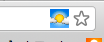
githubにソースも上げてます。JWeather - github -
仕組みは簡単で、Google Weather APIを叩いて、現在の天気アイコンをこのPage Actionのアイコンにセットしているだけです。Google Weather APIでは天気アイコンも使えるので便利です。windowがonloadされたタイミングで1回だけAPIを叩きます。タイミングによってアイコンが表示されなかったりしますが、まぁいいでしょう(え。東京の大崎の天気を直に叩いてるのでoptionで変更したいところですが、面倒なのでやってないです。
manifest.json
{
        "name": "JWeather",
        "version": "1.0",
        "manifest_version": 2,
        "description": "Show current weather as page icon.",
        "background": {
                "page": "background.html"
        },
        "page_action": {
                "default_title": "..."
        },
        "permissions": [
                "tabs",
                "http://www.google.com/ig/*"
        ]
}
background.html
<html>
<head>
        <script type="text/javascript" src="js/jquery-1.7.2.min.js"></script>
        <script type="text/javascript" src="js/back.js"></script>
</head>
<body>
</body>
</html>
back.js
icon = '';

window.onload = setWeatherIcon;

//!< set weather icon as page action
function setIcon(tabId) {
        if(icon != '' & tabId != null) {
                chrome.pageAction.setIcon({
                        'tabId': tabId,
                        'path': icon
                });
                chrome.pageAction.setTitle({
                        'tabId': tabId,
                        'title': icon
                });
        }
}

//!< call GoogleWeather api and set weather icon.
function setWeatherIcon() {
        var url = "http://www.google.com/ig/api?weather=osaki,tokyo&hl=en";
        $.ajax({
                url: url,
                cache:false,
                dataType:"xml",
                success:function(xml){
                        $(xml).find("weather > current_conditions").each(function() {
                                icon = 'http://www.google.com' + $(this).find('icon').attr('data');
                                var tabId = null;
                                chrome.tabs.getSelected(null, function(tab){
                                        tabId = tab.id;
                                });
                                chrome.pageAction.setIcon({
                                        'tabId': tabId,
                                        'path': icon
                                });
                        });
                } // end success callback
        }); //end $.ajax
//});
}

chrome.tabs.onCreated.addListener(function(tab){
        setIcon(tab.id);
});

chrome.tabs.onActivated.addListener(function(inf){
        setIcon(inf.tabId);
});

chrome.pageAction.onClicked.addListener(function(tab) {
        setIcon(tab.id);
});

chrome.tabs.onUpdated.addListener(function(tabId, inf){
        chrome.pageAction.show(tabId);
});
